

Create a Stracl AI Agent with MCP
Creating a Stracl AI Agent with MCP is important because it enables organizations to connect AI directly to their workflows, tools, and data sources in a secure and scalable way. By using the Model Context Protocol (MCP), businesses can build intelligent agents that automate repetitive tasks, improve decision-making, and provide real-time contextual support across systems.
- Click Microsoft 365 App Launcher > Select "Copilot 365 Studio" > Go to "Agents" > Click "Create Blank Agent"
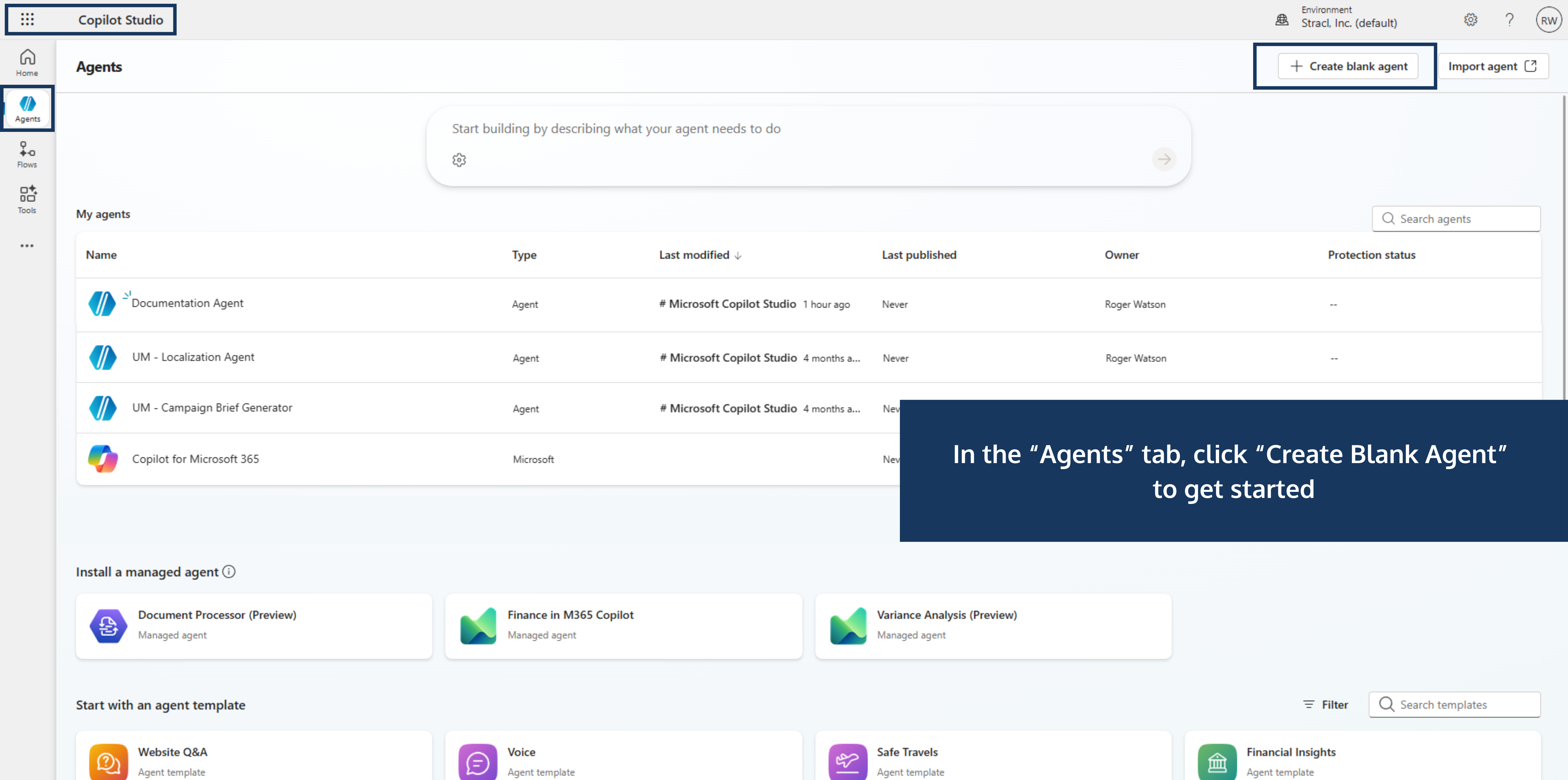
- Name Your Agent > Click "Create"

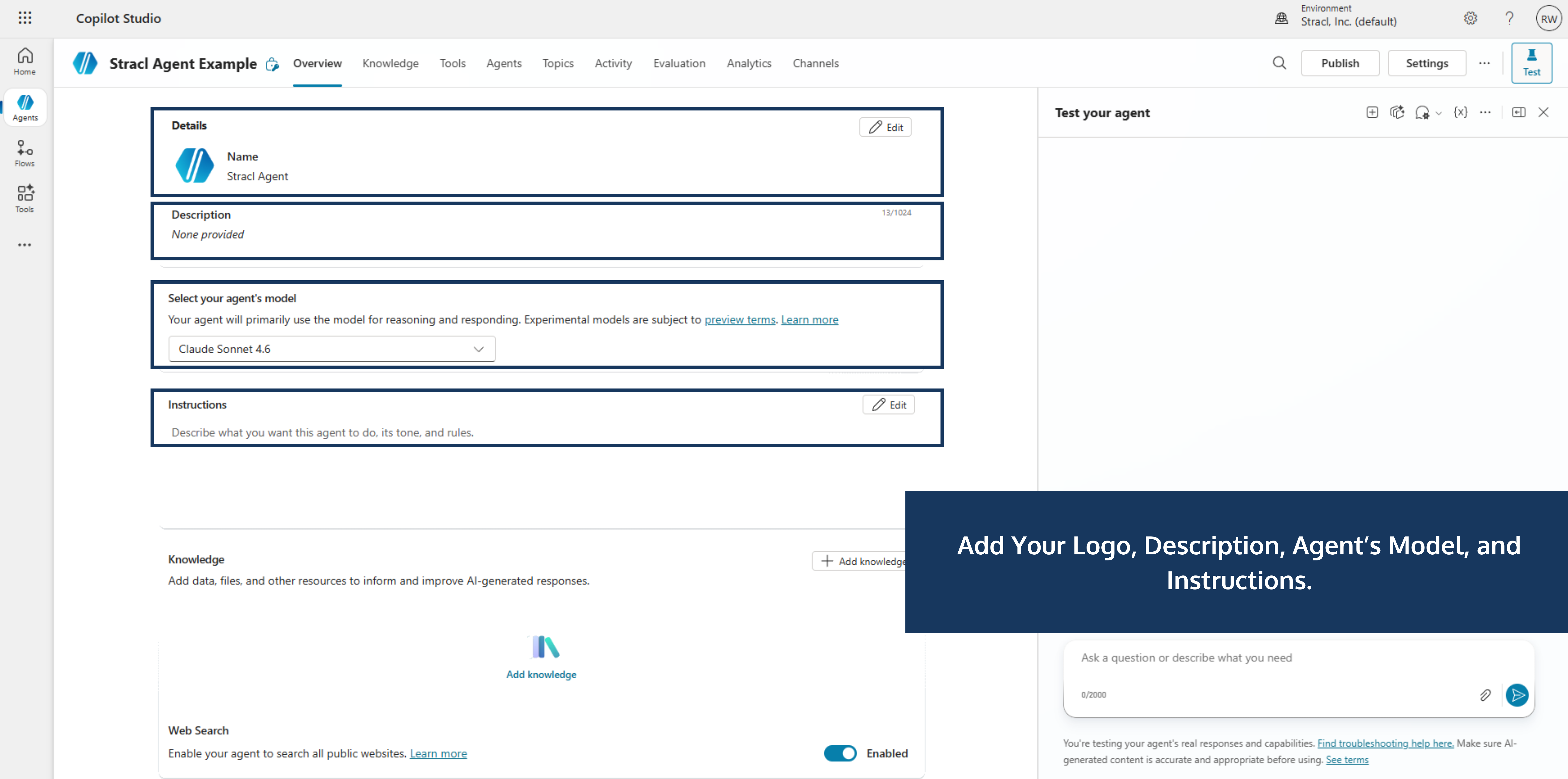
- Add Your Logo, Description, Select Your Agent's Model, and Instructions

- Click the "Tools" Tab at the Top > Click "Add a Tool" > Select "Model Context Protocol"

- Add a Server Name and Server Description Contact us for the Server URL and API Key > Click "Create"

- Click the "Channels" Tab at the Top > Add Microsoft 365 and Microsoft Teams

Search
Share this Article

